PJ Digital Archives · Help Centre
Clear guidance, before you even sign in.
Explore short tutorials showing how the PJDA portal works. These public videos use demonstration information only—client documents and account details remain inside the secure portal.
Start here
A quick tour of PJDA
See how legal teams move from a document problem to an organized, court-ready result.
Portal tutorials
Select a topic to watch it on YouTube. No account is required for these general tutorials.
 Tutorial 1
Signing in and finding your way around
Find requests, completed work, Help and sign-out controls.
 Tutorial 2
Starting a new request
Choose the request, client, matter, area of law and documents needed.
 Tutorial 3
Organizing your exhibits
Upload exhibits and match them to their correct letters.
 Tutorial 4
Preparing exhibit stamps
Add commissioning details, preview and approve the stamps.
 Tutorial 5
When the court limits exhibit pages
Understand page limits, stamp pages and pages per sheet.
 Tutorial 6
Deadlines, filing and personal service
Set completion deadlines, filing needs and service recipients.
 Tutorial 7
Reviewing the estimate and submitting
Review the summary and preliminary estimate before submitting.
 Tutorial 8
Approving a draft or asking for changes
Preview the draft and record your approval or corrections.
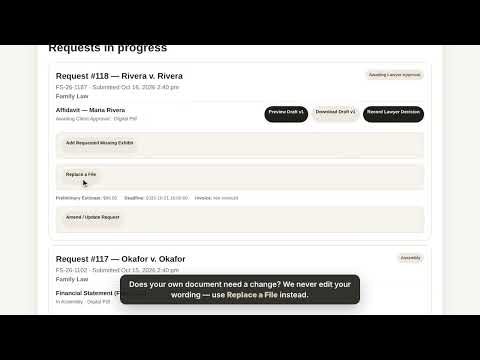 Tutorial 9
Changing a request
Send updates, corrected files or missing exhibits securely.
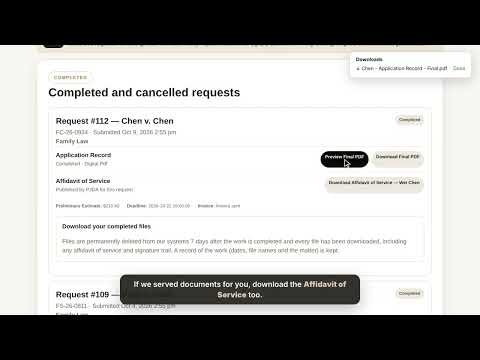 Tutorial 10
Downloading your final documents
Download final PDFs and review the file-retention information.
Ready to work on a client matter?
Sign in before entering client information or sending documents.